1. Custom Data Collection Fields
Define structured variables that the AI must extract from the conversation. The AI will naturally weave these into the dialogue based on your requirements.
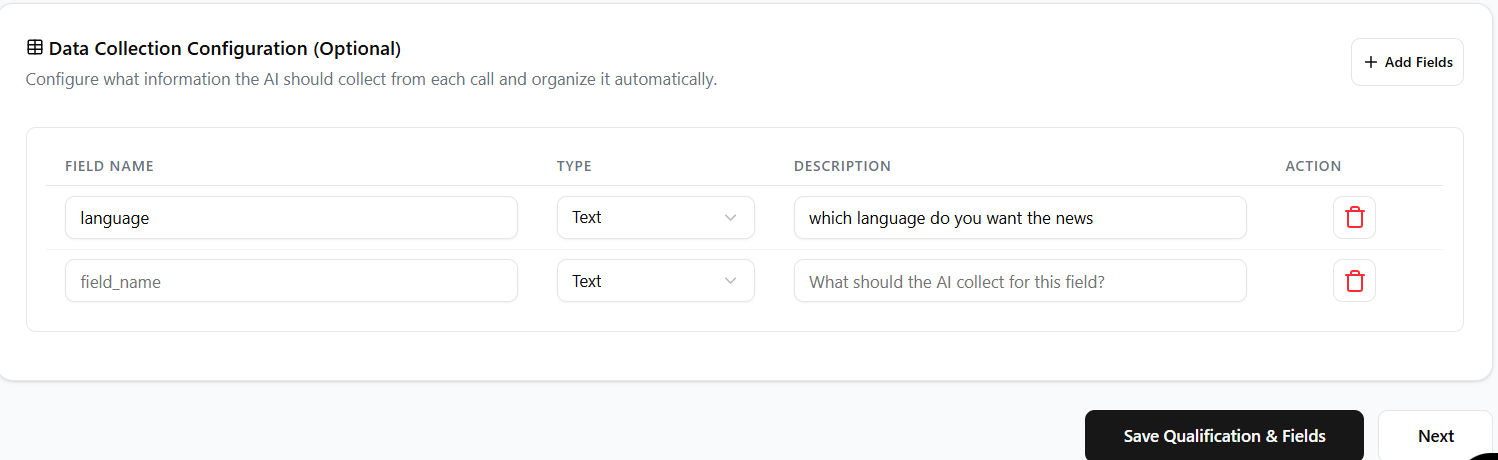
Field Configuration
- Define the **Field Name** (e.g., `company_size`) for CRM mapping.
- Select the correct **Data Type** (Text, Number, Date, Boolean) for validation.
- Set required fields as **MANDATORY** for automated data extraction.
Data Extraction
- The agent uses the field's description to guide its extraction logic.
- AI extracts information even if a question is implied, not explicitly asked.
- Collected data is immediately linked to the call record.
2. Analytics & Export
Collected data points automatically flow into your campaign analytics dashboard for immediate insight.
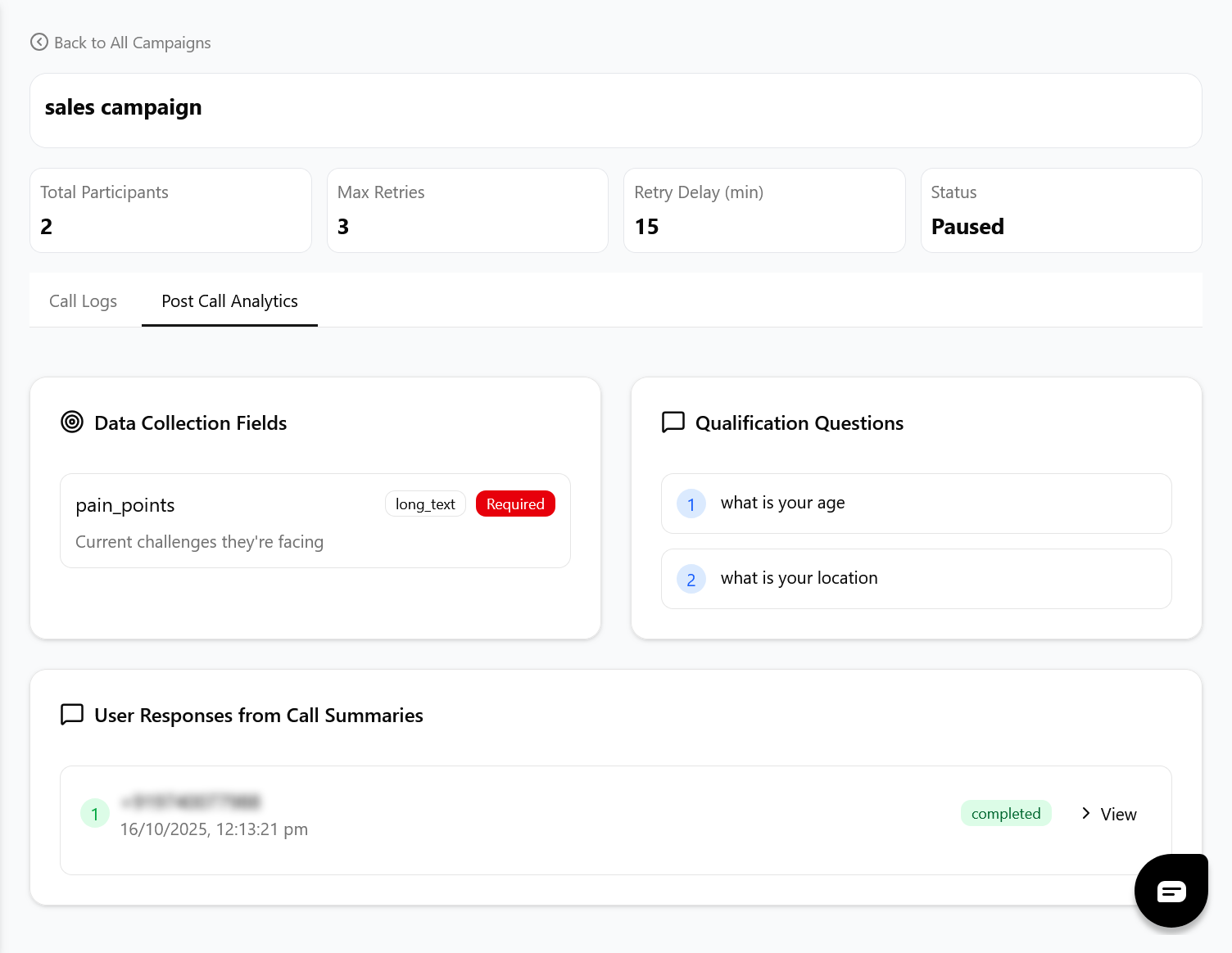
Reporting Metrics
- Track the **Success Rate** (successful outcomes vs. total calls).
- Analyze **Field Completion** to identify weak or unclear collection points.
- Metrics are updated in real-time as calls complete.
Integration & Download
- Export all collected data in CSV or JSON format for bulk processing.
- Field names defined in Step 2 are used as column headers in the export file.
- Ensure webhooks are configured to automatically push qualified leads to your CRM.
3. Data Collection Best Practices
Follow these guidelines to maximize your agent\'s success rate and data reliability.
Optimize Questions
- Keep the list of MANDATORY questions as short as possible.
- Use open-ended questions when probing for complex customer context.
- Run A/B tests on questions with low completion rates.
Data Integrity
- Verify that your defined data types match the expected customer response format.
- Regularly check the call logs to ensure the AI is extracting data correctly.
- Avoid vague or overly broad field definitions.