Knowledge Base
KNOWLEDGE BASE
Learn how to organize documents, URLs, and FAQs to create intelligent knowledge repositories for your AI agents. This guide covers uploading files, adding web content, and managing structured FAQs.
Step 1: Creating Knowledge Bases
Start by creating new knowledge bases to organize your content.
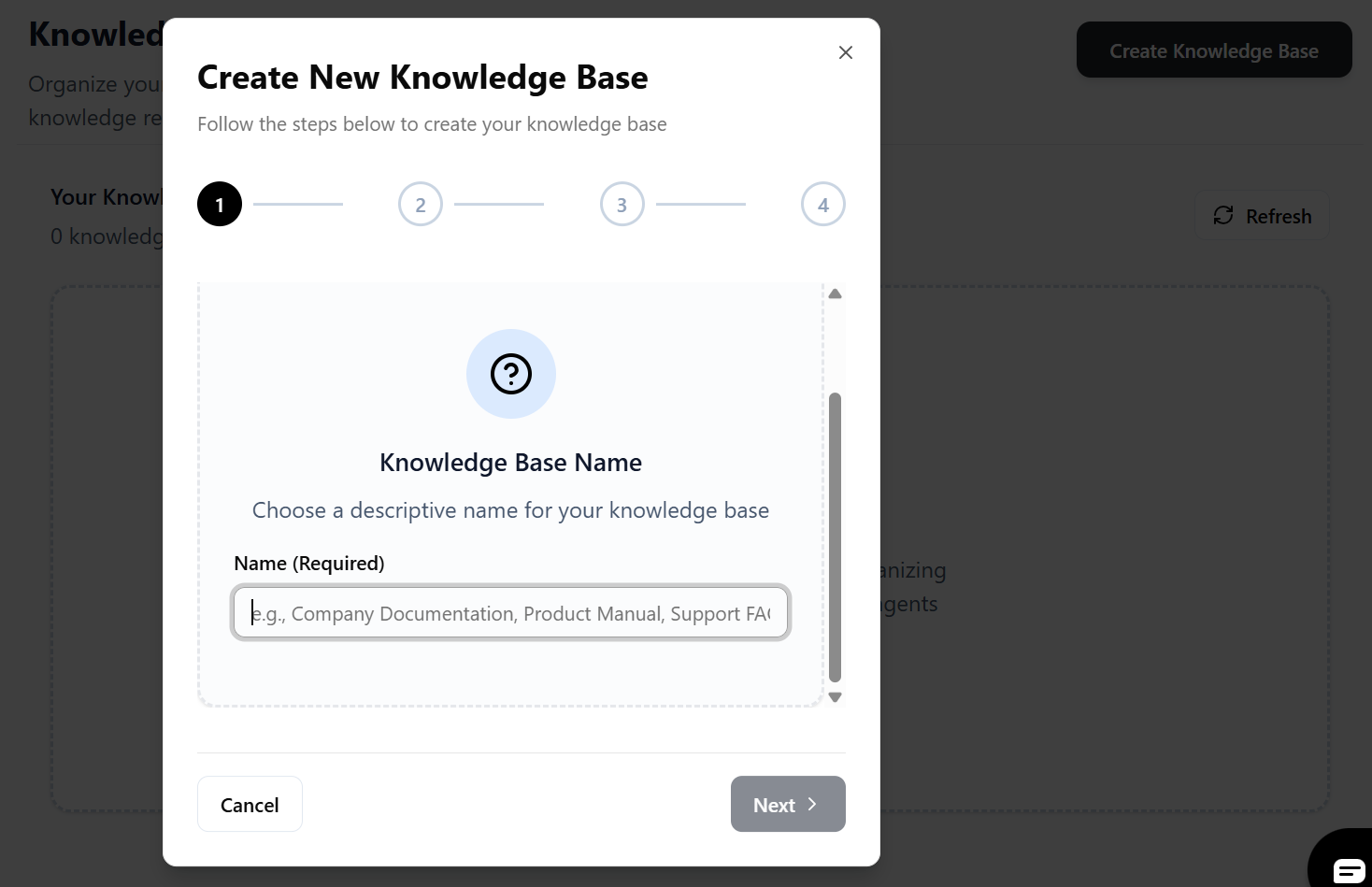
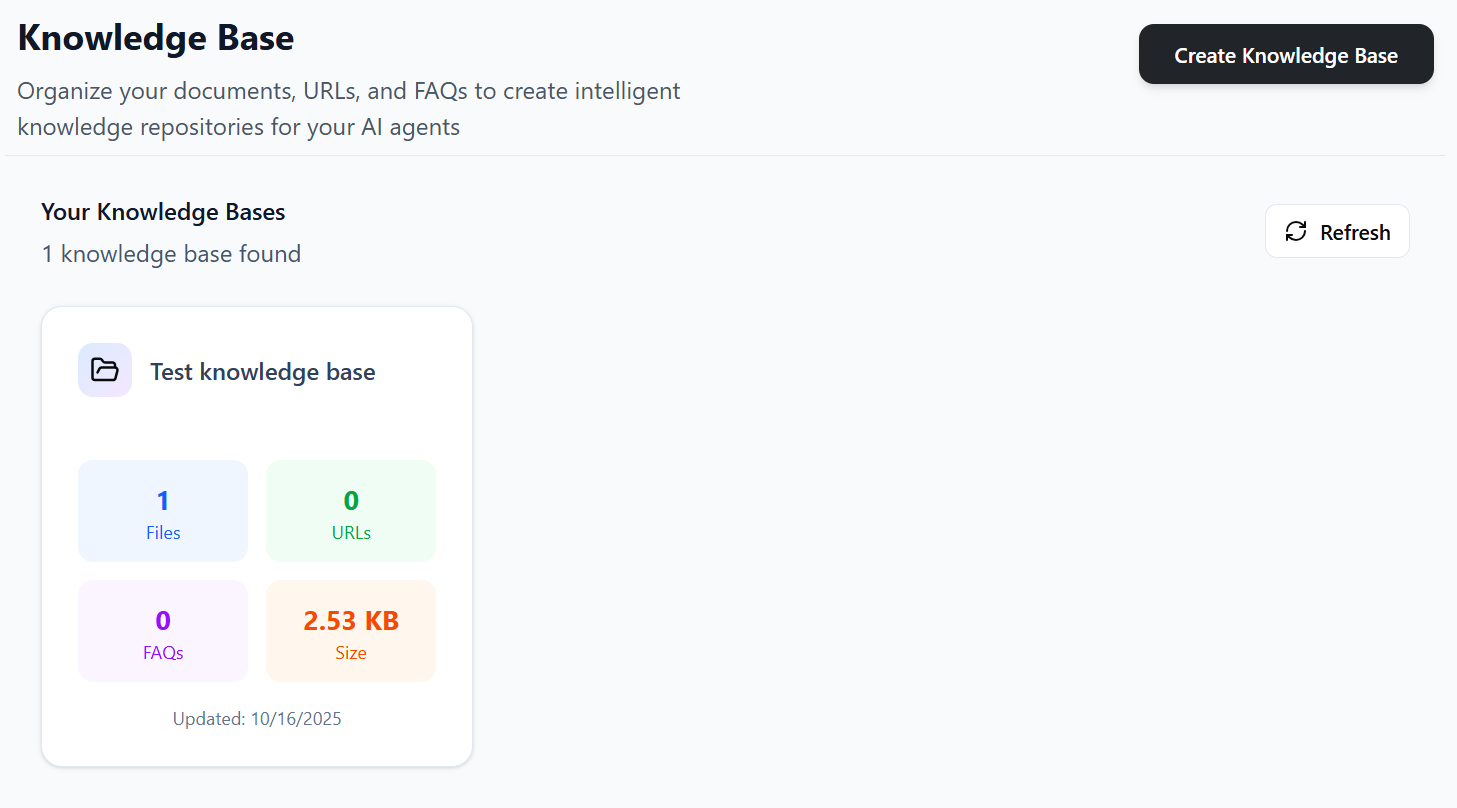
- Navigate to the Knowledge Base section.
- Click "Create Knowledge Base".
- Give your knowledge base a descriptive name.
- Optionally upload initial files, add URLs, or create FAQs.
- Click on create knowledge base to create the knowledge base.
Step 2: Uploading Files
Add documents to your knowledge base for AI agent reference.
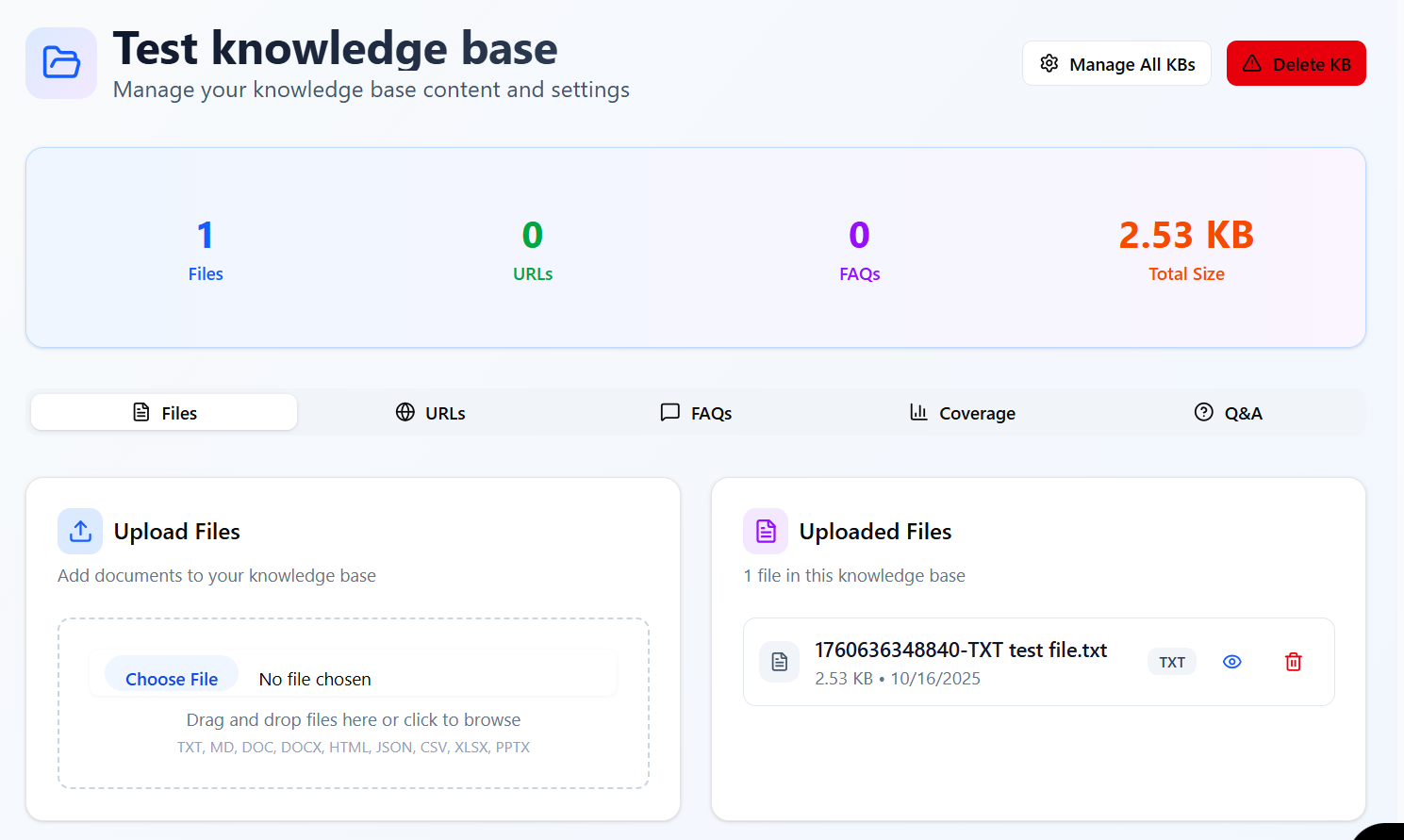
- Select the knowledge base you want to add files to.
- Click the upload button or drag and drop files.
- Supported formats: TXT, MD, DOC, DOCX, HTML, JSON, CSV, XLSX.
- Wait for files to process and index.
- Manage uploaded files: view, delete, or refresh as needed.
Step 3: Adding URLs
Include web content by adding URLs to your knowledge base.
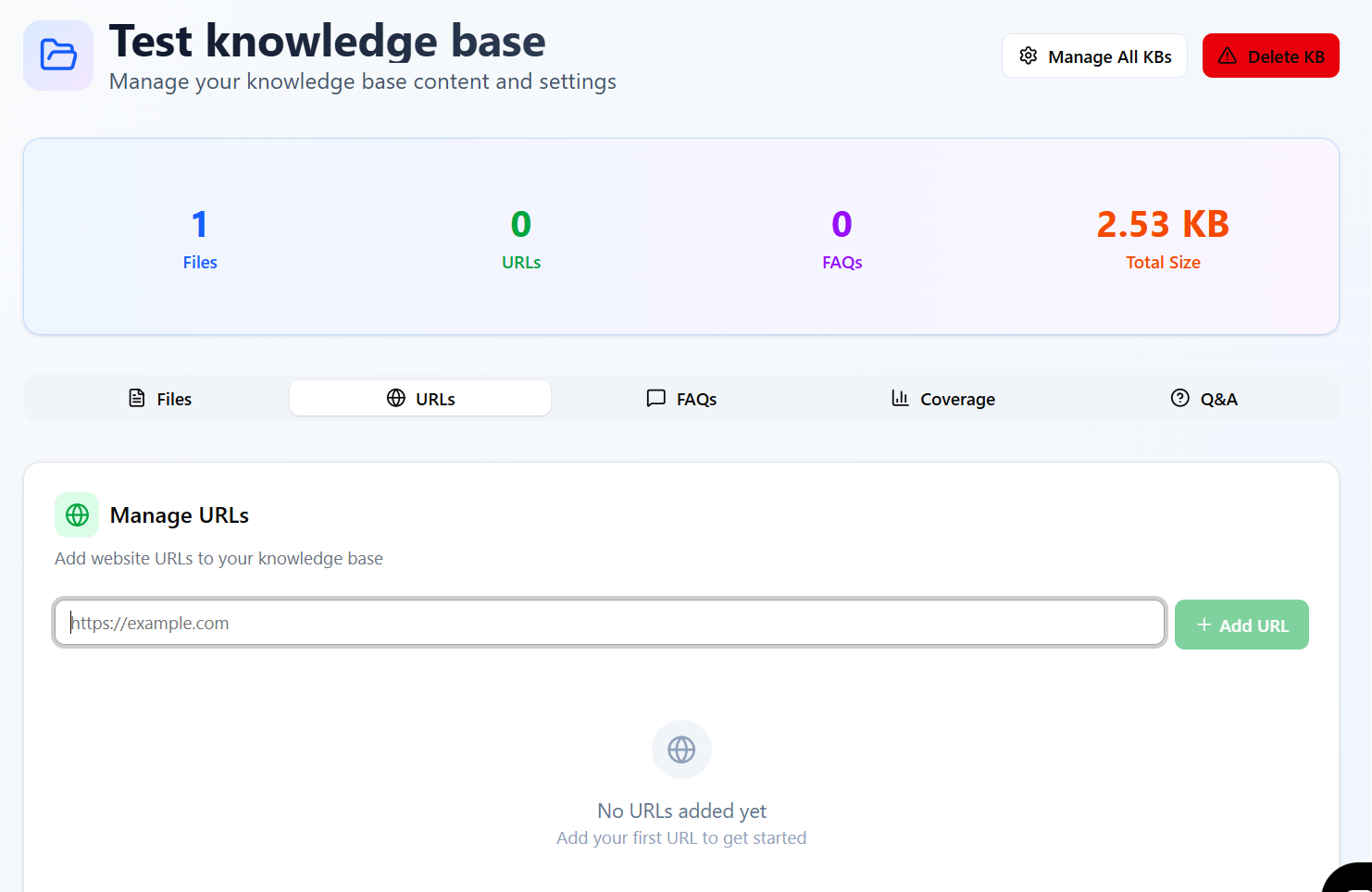
- Go to the URLs section of your knowledge base.
- Click "Add URL" and enter the web address.
- Validate the URL and preview if possible.
- The system will crawl and index the content.
- Manage URLs: add more, remove, or refresh indexing.
Step 4: Creating FAQs
Build structured FAQs for direct, accurate responses.
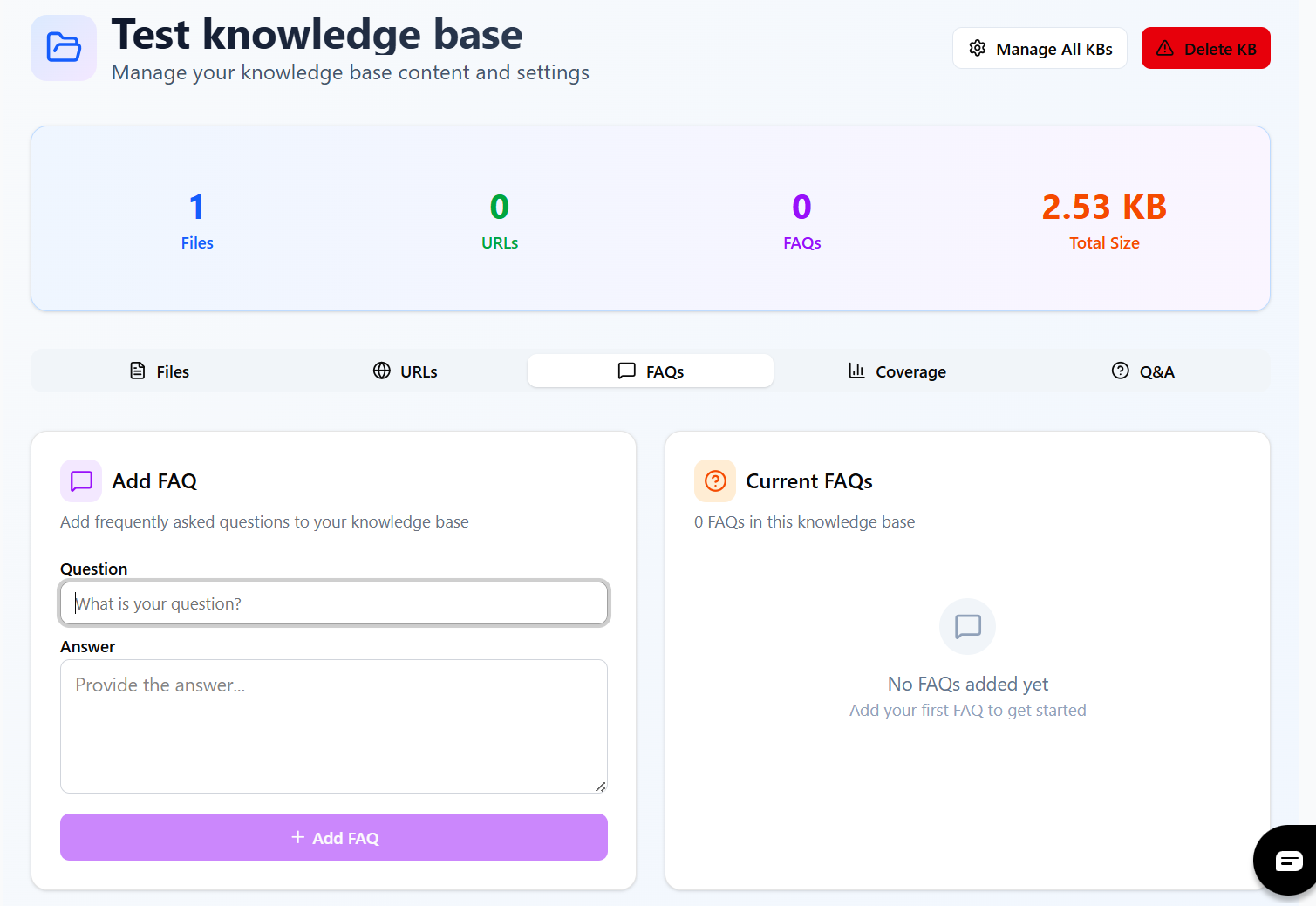
- Navigate to the FAQs section.
- Click "Add FAQ" to create question-answer pairs.
- Enter a clear question and comprehensive answer.
- Save each FAQ entry.
- Edit, delete, or batch import FAQs as needed.
Step 5: Managing Knowledge Bases
Organize and maintain your knowledge bases effectively.
- Switch between different knowledge bases.
- View statistics: file count, URL count, FAQ count.
- Refresh content to update indexing.
- Assign knowledge bases to specific AI agents.
- Monitor usage and performance.
Best Practices
- Use descriptive names for knowledge bases and content.
- Organize content by topic or purpose for better AI responses.
- Keep files and URLs updated regularly.
- Create comprehensive FAQs for common questions.
- Test knowledge bases with your AI agents before production use.
Troubleshooting
Common issues and solutions:
- If files fail to upload, check file size and format compatibility.
- Ensure URLs are accessible and not behind authentication.
- Refresh indexing if content changes aren't reflected.
- Verify FAQ formatting for best AI matching.
- Contact support if indexing fails repeatedly.