Audiences
AUDIENCES
Learn how to create and manage contact lists and audience segments for targeted voice campaigns. This guide covers how to create Audience for your campaign and how to manage them.
Step 1: Creating Audiences
Start by creating new audience lists from CSV files containing contact information.
- Navigate to the Audiences section in your dashboard.
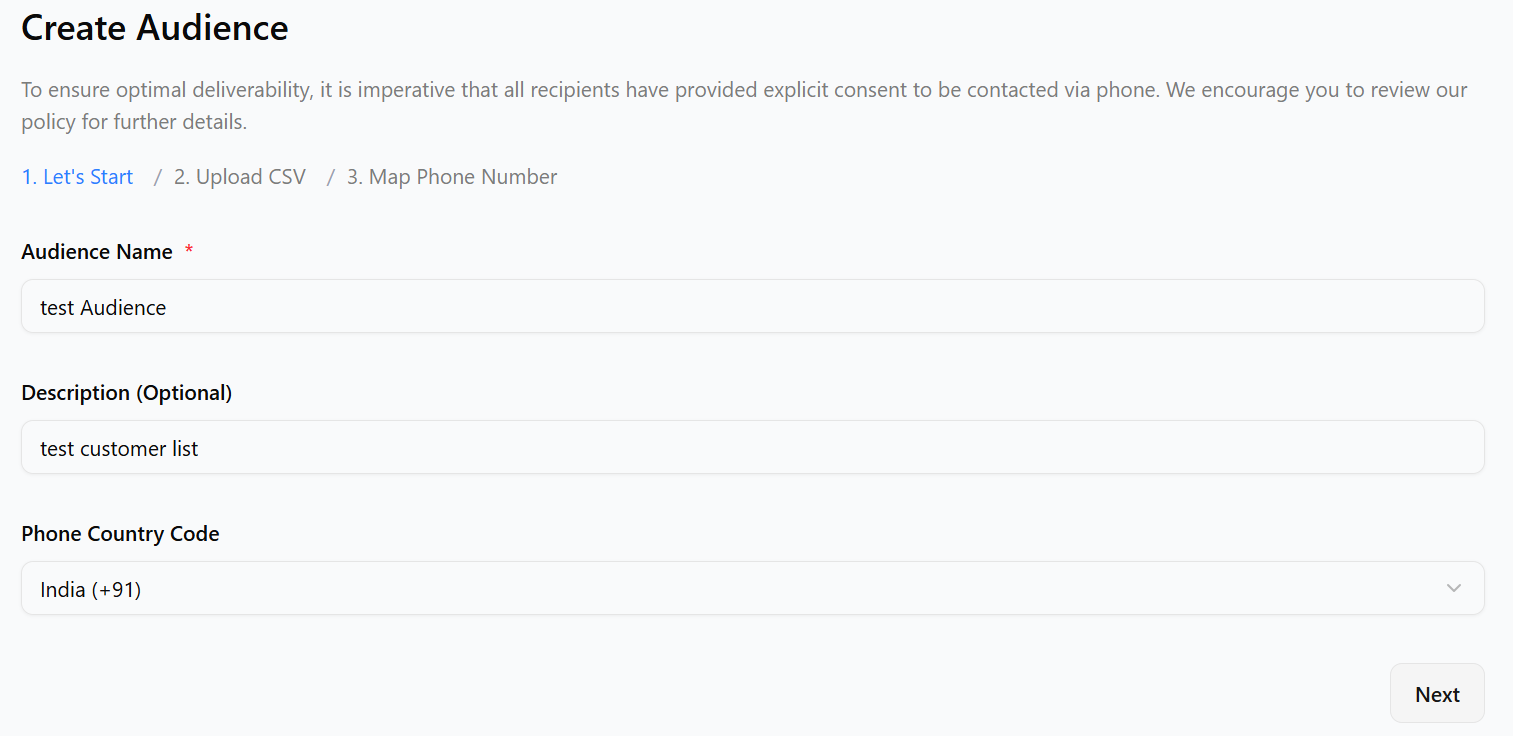
- Click the "Create Audience" button.
- Add an audience name and optional description and choose country code.
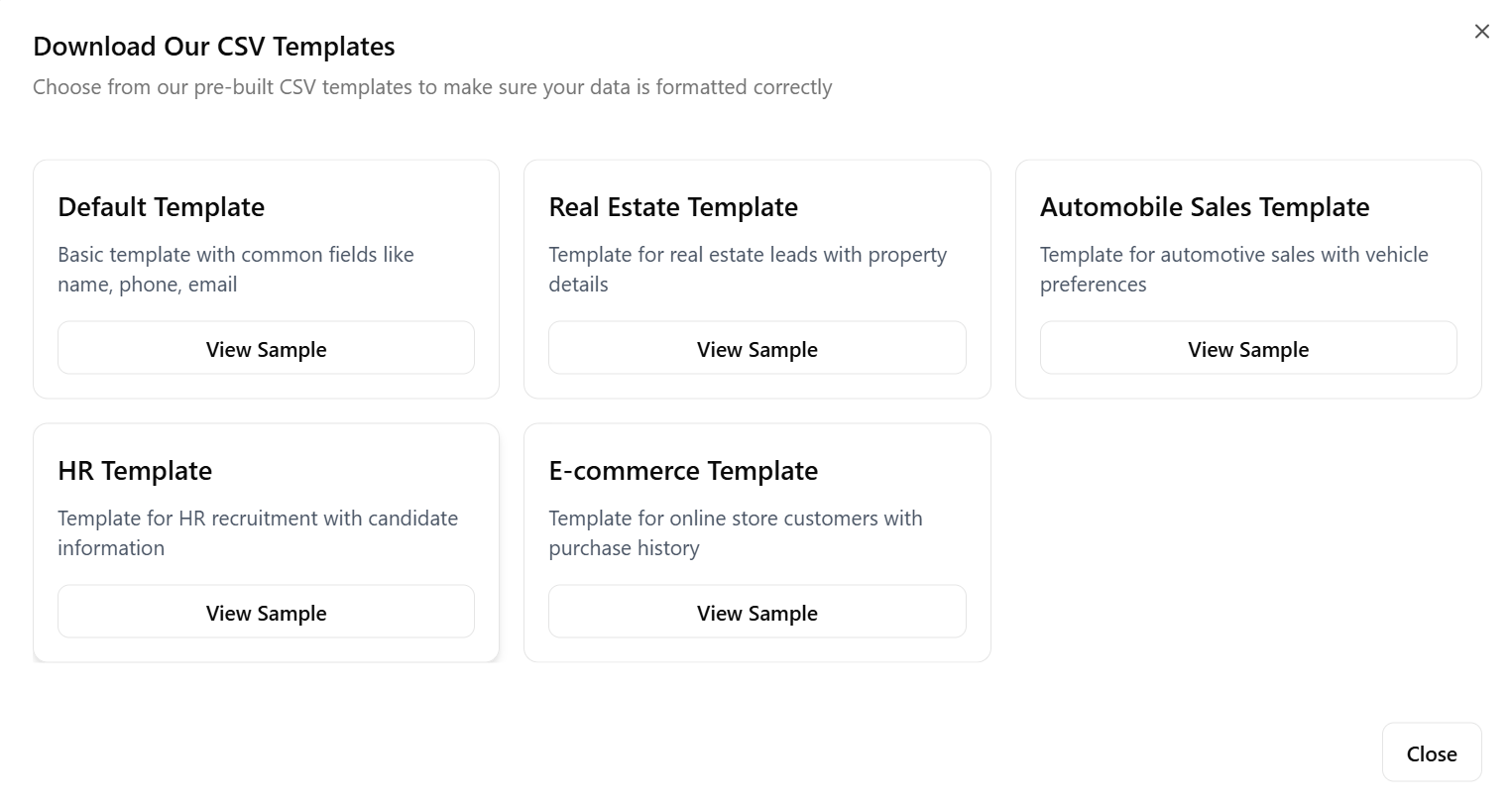
- Upload a CSV file with contact data (required: Name, Phone Number; optional: Email, Company, etc), for CSV file reference you can click on 'Download Our CSV' button and select the template you want also you can download it and modify the contact details as yours.
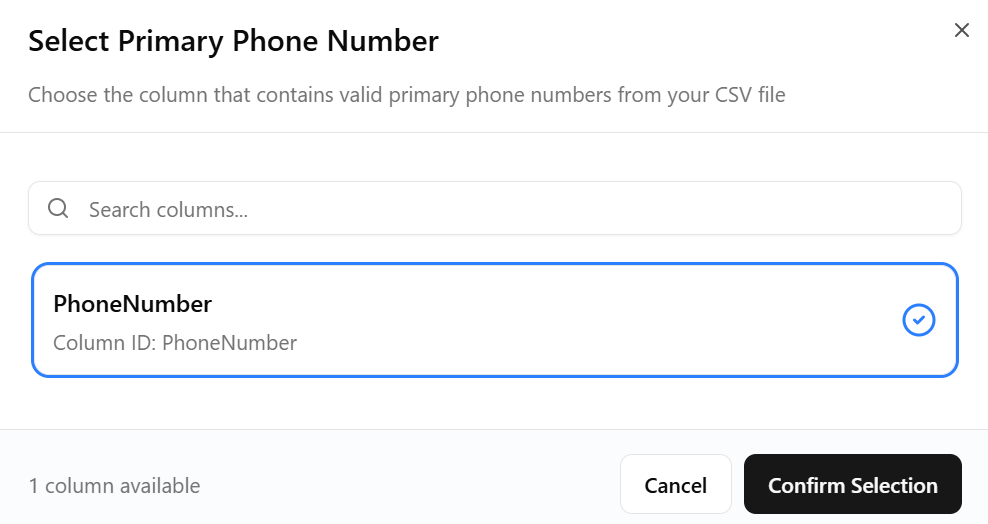
- after uploading CSV file select the column that matches the customers phone number
- click on the create audience button to create the audience
Step 2: Managing Audiences
View and manage your audience lists from the audience section.
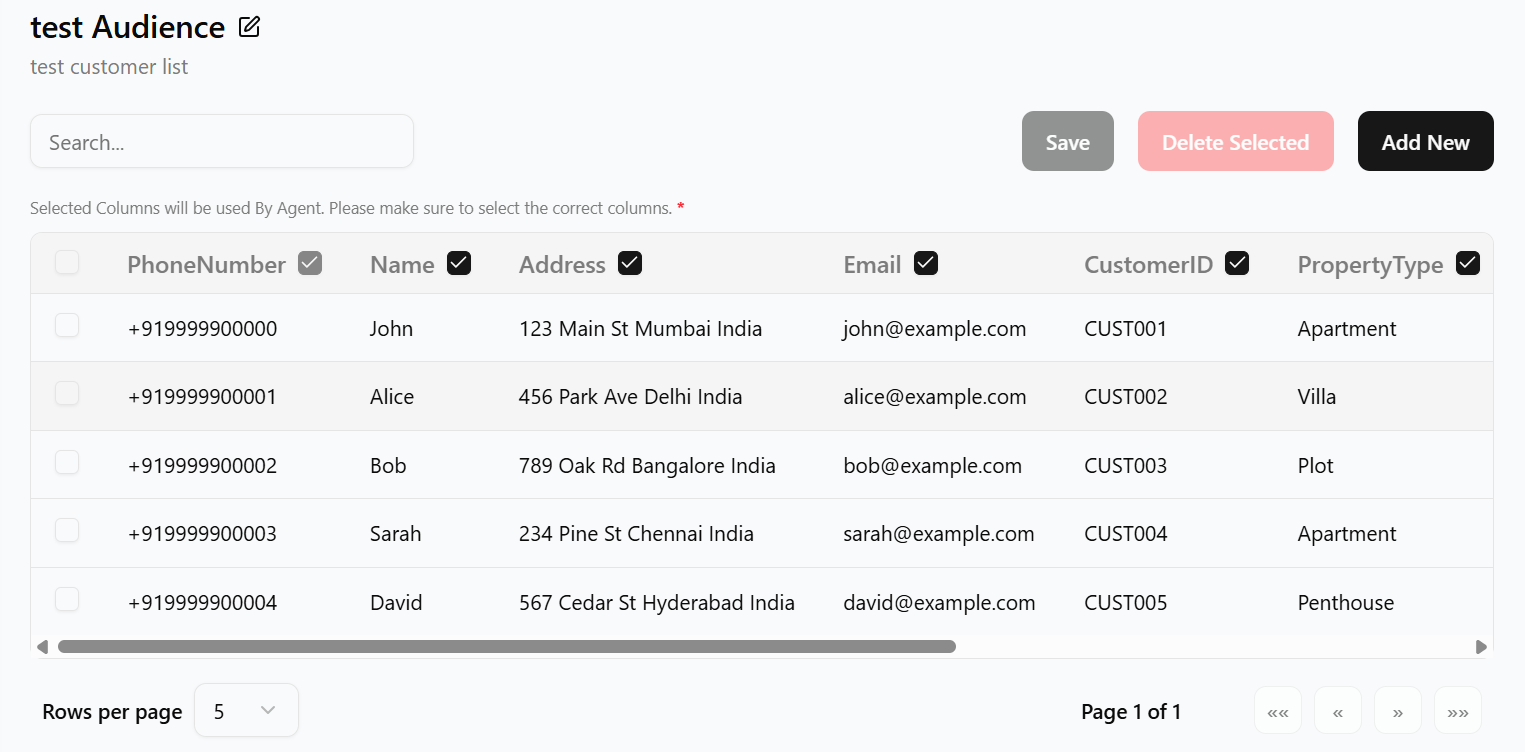
- click on the audience you created
- you can edit the audience name and description
- Delete unused audiences with confirmation.
Best Practices
- Use descriptive names and descriptions for audiences.
- Keep contact data updated and accurate.
- Organize audiences by campaign type or target group.
- Regularly review and clean up unused lists.
Troubleshooting
If you encounter issues, check the following:
- Ensure files type to be having CSV
- Verify required fields (Name, Phone Number) are present.
- Check for duplicate contacts if uploads fail.
- Contact support if problems persist.