Campaigns
CAMPAIGNS
Learn how to launch and manage marketing campaigns with AI voice agents. This guide covers creating, scheduling, and tracking campaign performance.
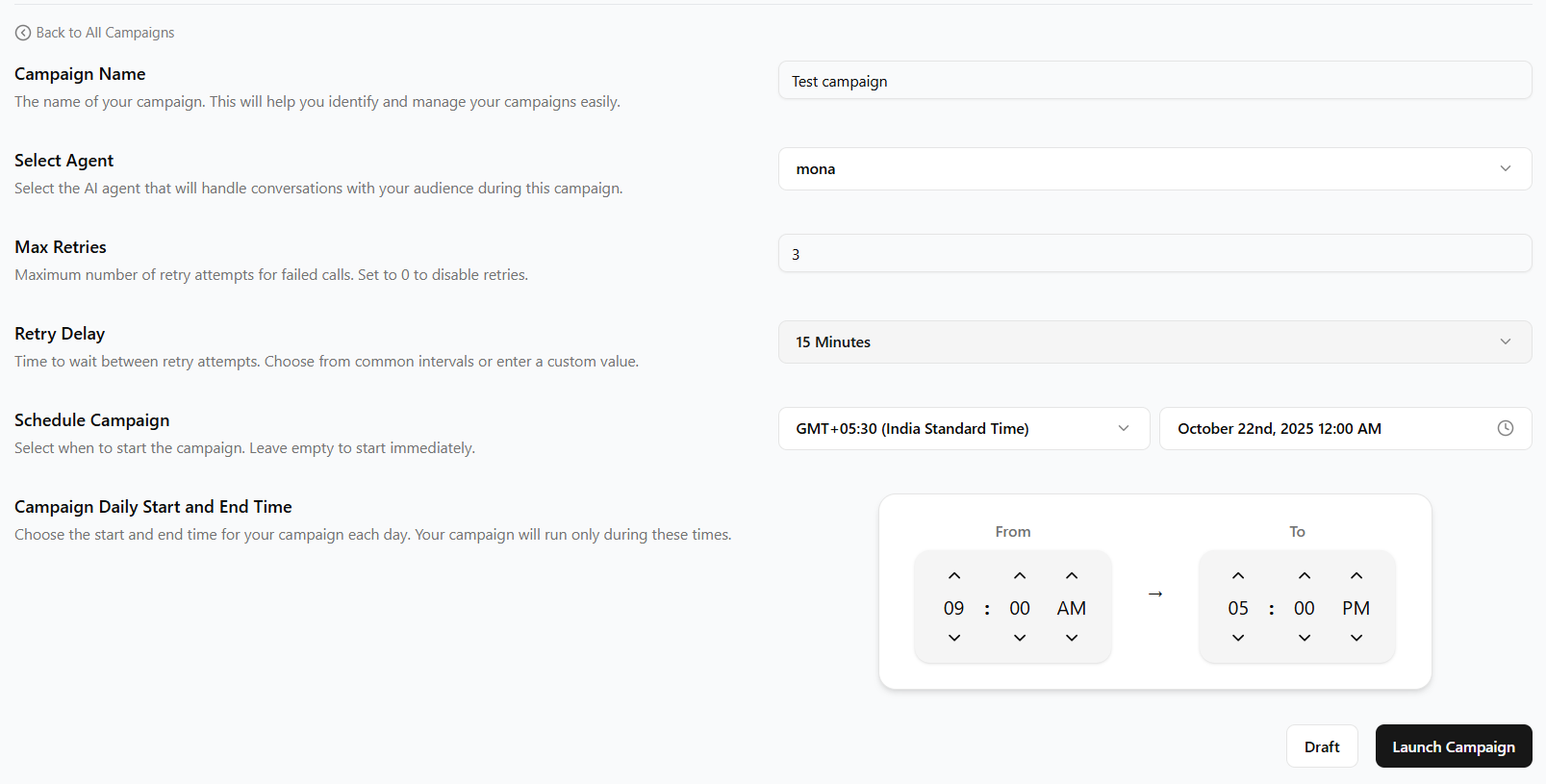
Step 1: Creating Campaigns
Start by creating new campaigns using the "Launch Campaign" button.
- Navigate to the Campaigns section in your dashboard.
- Click the "Launch Campaign" button.
- Enter the Campaign name and select an AI voice agent for the campaign.
- Configure campaign settings and scheduling.
- Schedule the campaign.
Step 2: Managing Campaign Status
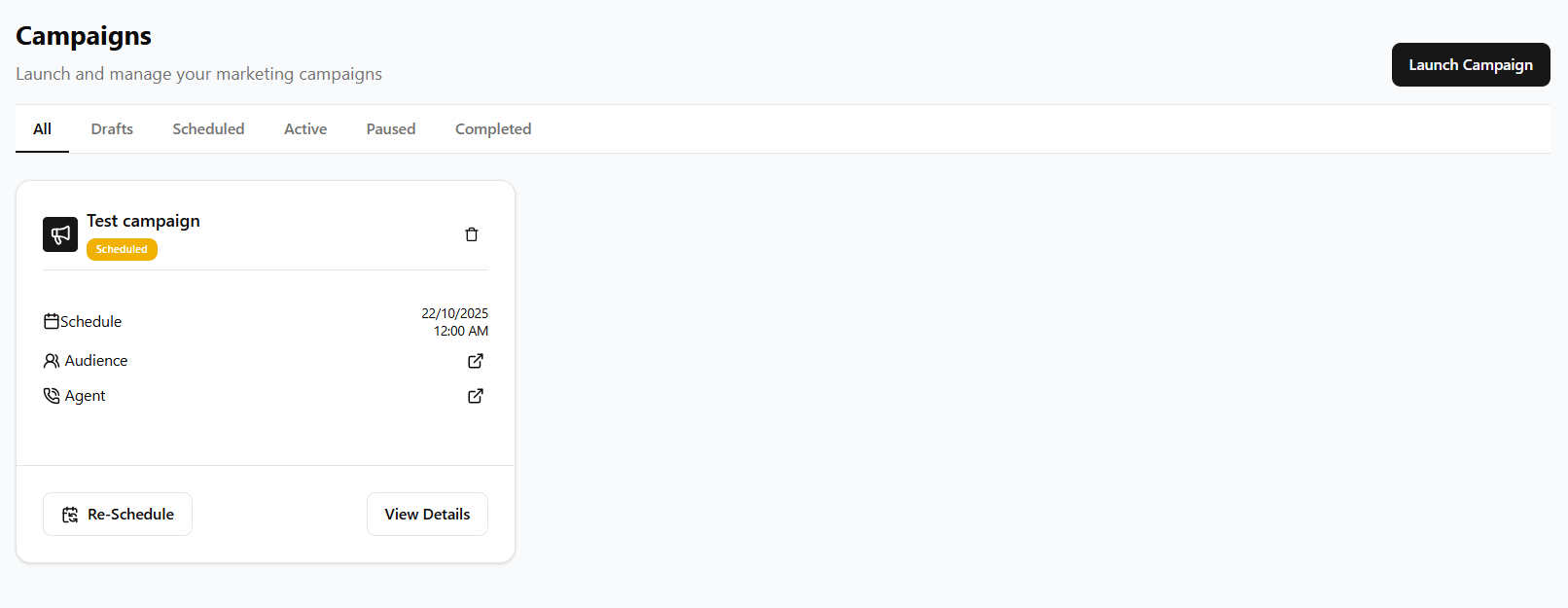
Use the tabbed navigation to filter and manage campaigns by status.
- All: View all campaigns regardless of status.
- Drafts: Campaigns being created or edited.
- Scheduled: Campaigns set to run in the future.
- Active: Currently running campaigns.
- Paused: Temporarily stopped campaigns.
- Completed: Finished campaigns.
Step 3: Monitoring Performance
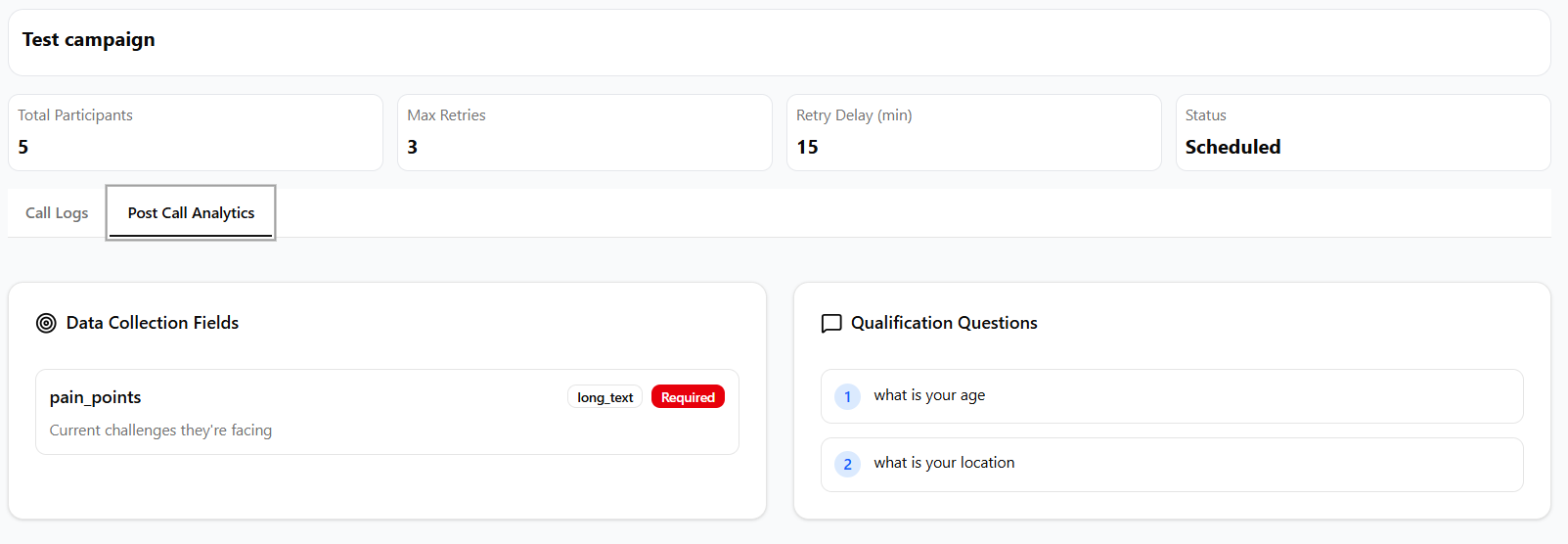
Track campaign progress and performance metrics.
- Click on View Details to view the call analytics
- Monitor progress and target audience information.
- Check performance metrics and analytics.
- Pause or resume campaigns as needed.
- Review completed campaigns for insights.
Best Practices
- Use descriptive names for campaigns to easily identify them.
- Test campaigns with small audiences before full launch.
- Monitor performance regularly and adjust as needed.
- Schedule campaigns during appropriate times for your audience.
- Review completed campaigns to optimize future efforts.
Troubleshooting
Common issues and solutions:
- If a campaign won't start, check that you have credits and a valid audience.
- Ensure your AI agent is properly configured before launching.
- Verify scheduling settings for future campaigns.
- Contact support if campaigns fail to execute properly.